Overview
TrackShip integrates seamlessly with Shopify to trigger automated shipping notification emails. These emails are sent directly through Shopify’s notification system and can be fully customized to match your brand.
✔ Compatibility: Automated emails are fully supported on Shopify stores. TrackShip automatically triggers Shopify’s built-in notification emails when shipment statuses are updated.
Setup Instructions
Follow the steps below to enable automated shipping email notifications:
Step 1: Access Shopify Notifications
- Log in to your Shopify Admin panel.
- Navigate to Settings in the bottom-left corner.
- Select Notifications from the settings menu.
Step 2: Enable Shipping Notifications
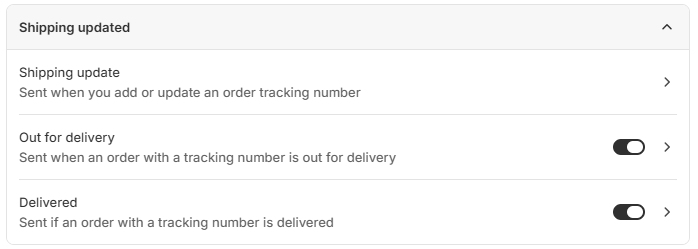
- Under the Customer notifications section, click on Shipping updated.
- Enable the following notification options: